

A modem brings the internet into your home, and a router spreads that connection to your devices. That one sentence is the whole answer, but it hides a lot of interesting mechanics: signal translation, address translation, DHCP, NAT, and the reason most homes now run both jobs from a single box. This guide walks through what each device actually does, how they work together, and how to tell which one is failing when your internet goes down.
What Is a Modem?
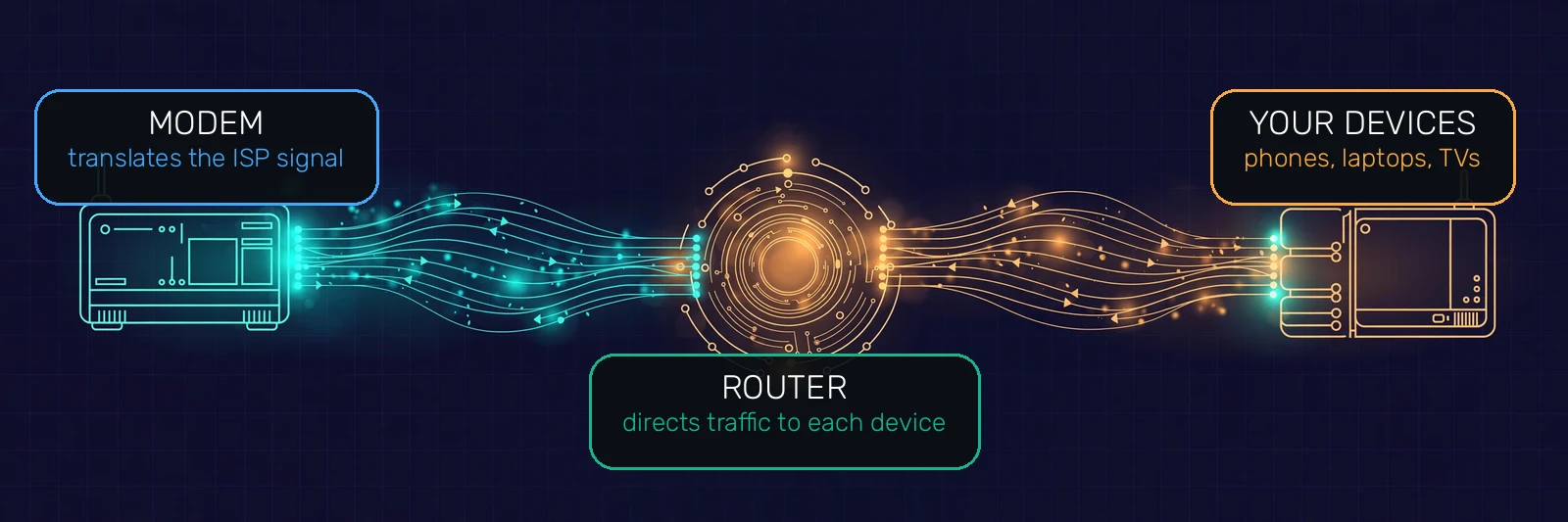
A modem is the device that connects your home to your internet service provider. Its name is short for modulator-demodulator, which describes its job: it takes the signal arriving on the ISP line (over DSL, cable, fiber, or satellite) and translates it into digital data your home network can use, and translates your outgoing data back the other way.
A few things that follow from that definition. A modem has exactly one job facing outward: talking to the ISP. It holds the public IP address your ISP assigns you, which is the single address the whole internet uses to reach your home. A classic standalone modem has no Wi-Fi radio and usually a single Ethernet port, so it can connect exactly one device directly. It does not decide which of your devices gets what; it has no concept of your phones, laptops, or TVs at all.
If you have fiber internet, the box on your wall is technically called an ONT (optical network terminal) rather than a modem. It does the same job, translating light pulses on the fiber line into digital Ethernet, so everything in this guide applies to it too. Cloudflare explains modems with the signal-translation details.
What Is a Router?
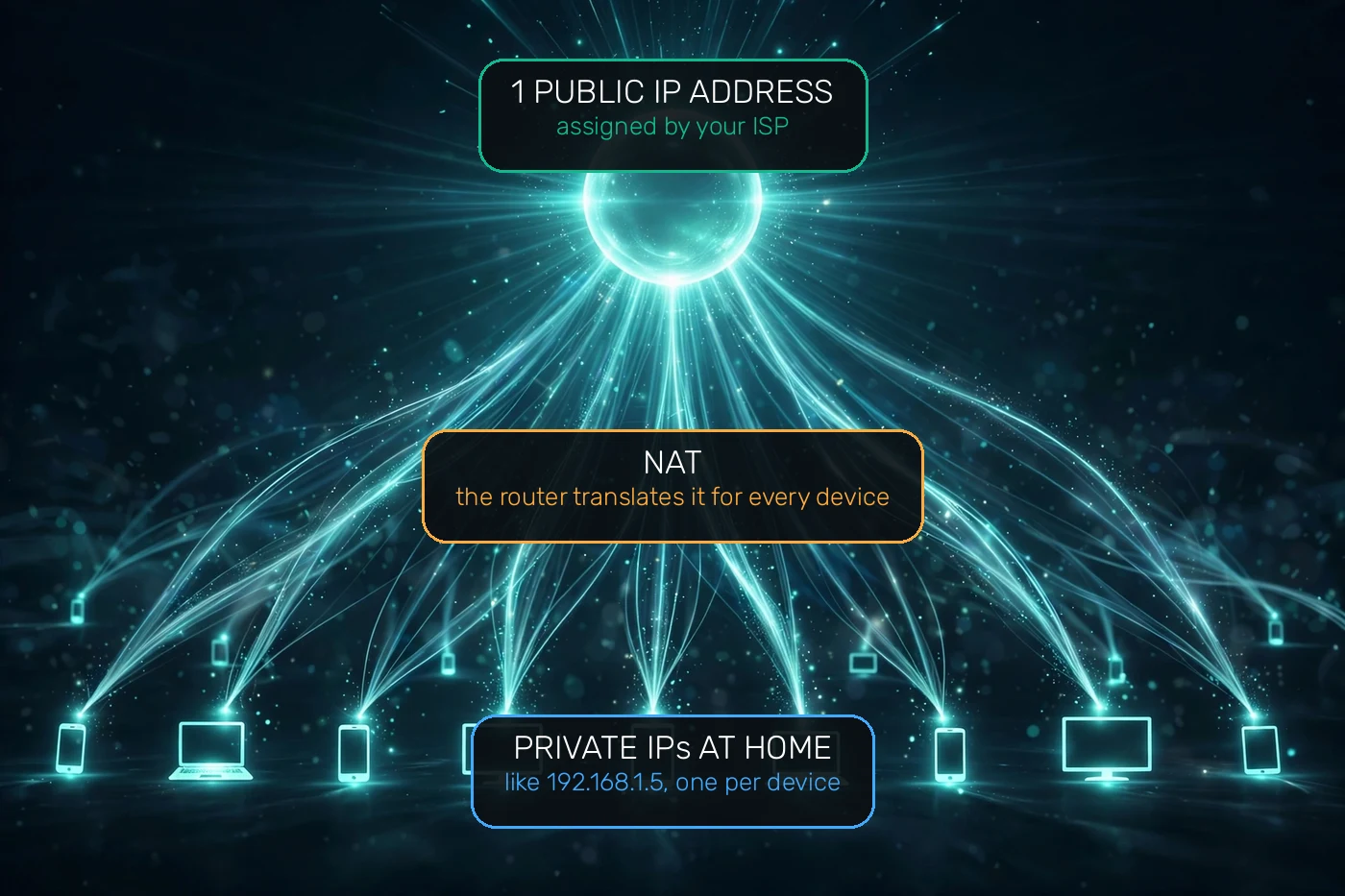
A router takes the single internet connection from your modem and shares it with every device in your home. It creates your local network (the LAN): it gives each device a private IP address, usually something like 192.168.1.5, through a service called DHCP, and it decides, packet by packet, which device each incoming piece of data belongs to. Devices reach the router in two ways, over an Ethernet cable or over Wi-Fi; our Wi-Fi vs Ethernet guide explains which connection suits which device.
This is where NAT (network address translation) earns its keep. Your ISP gives your home one public IP address, but your household may have twenty devices online at once. NAT lets the router share that one public address across all of them, keeping a translation table so replies come back to the right phone or laptop. It is also why devices inside your home can reach each other directly: the router delivers frames between them using their hardware MAC addresses, without anything ever leaving the house.
Routers also carry your home network security. The NAT table means unsolicited traffic from the internet has no path to a specific device, which works as a basic shield, and modern routers add a real firewall plus Wi-Fi encryption (WPA2 or WPA3) on top. Some routers can even run a VPN client, protecting every device in the house at once. Cloudflare explains routers in more depth if you want the networking-layer view.
Modem vs Router: The Core Differences
The difference comes down to what each device connects to. The modem faces outward to the ISP; the router faces inward to your devices. Here is the full comparison:
| Modem | Router | |
|---|---|---|
| Core job | Translates the ISP signal into usable internet | Shares that connection with your devices |
| Connects to | Your ISP line (DSL, cable, fiber, satellite) | The modem on one side, your devices on the other |
| IP address | Holds your single public IP | Gives each device a private IP via DHCP |
| Wi-Fi | None on its own | Broadcasts your Wi-Fi network |
| How many devices | One, directly | Dozens, wired and wireless |
| Security | Minimal | NAT shield, firewall, WPA2/WPA3 encryption |
| OSI layer | Layers 1 and 2 (physical, data link) | Layer 3 (network) and above |
| Without the other | No internet signal to work with | No internet to distribute |
How a Modem and Router Work Together
Follow a video stream from the internet to your TV and you will see both devices doing their jobs in sequence. The stream arrives at the modem on the ISP line, the modem translates it into digital data and hands it to the router through an Ethernet cable plugged into the router’s WAN port. The router consults its NAT table, decides the data belongs to the TV, and delivers it over Wi-Fi or Ethernet. Your reply travels the same path in reverse.
The router also handles the housekeeping your devices never show you. When your phone joins the Wi-Fi, the router’s DHCP server leases it a private IP address and, along with it, the address of a DNS server to use, which is why your DNS guide starts working the moment you connect. This whole chain, ISP to modem to router to device, is the normal shape of a home network.
Modem-Router Combo Devices: One Box or Two?
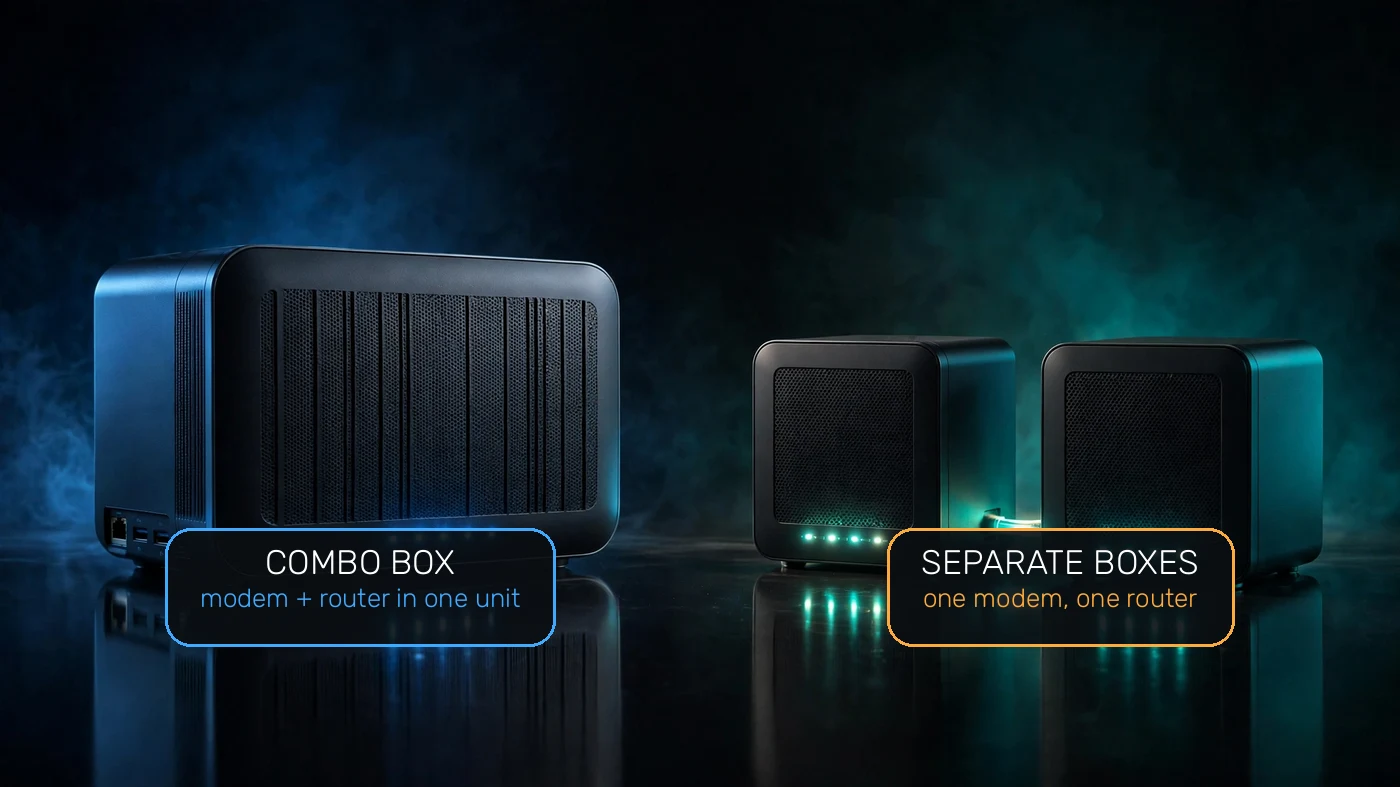
Most ISPs now hand you a single box that does both jobs, usually called a gateway. One unit translates the ISP signal and broadcasts your Wi-Fi, which is simpler to set up and means one fewer box and cable on the shelf.
Separate devices have real advantages, though. A standalone router is easier to upgrade when you want better Wi-Fi coverage or newer standards, while the modem (which rarely needs upgrading) stays put. Combos also tend to run weaker Wi-Fi radios than a good dedicated router, and if the ISP’s box is the weak link you are stuck with both halves of it. A common middle path is to keep the ISP box but put it in bridge mode, which turns off its routing so your own router does all the network work.
Do You Need Both a Modem and a Router?
If you want more than one device online, or any Wi-Fi at all, you need both functions, whether they live in one box or two. A modem alone gets exactly one wired device online and nothing else. A router alone has no internet to share. So the real question is usually: what do I already have?
- If a single ISP-provided box gives you Wi-Fi, you have a combo: both jobs are covered.
- If your box has one cable in from the wall and one cable out to a second box that makes the Wi-Fi, you have separates.
- If your Wi-Fi feels slow or drops in far rooms, the router half is the usual suspect, and upgrading just the router (or adding a mesh system) fixes it without touching the modem.
One cost note: many ISPs charge a monthly rental fee for their box. Buying your own modem and router usually pays for itself within a year or two, and you get to pick hardware with better Wi-Fi. Just check your ISP’s approved-modem list before buying, since not every modem works on every network.
Which Box Is the Problem? Quick Troubleshooting
When the internet dies, the two boxes fail in different ways, and knowing which is which saves you a support call. Start with the lights: a modem whose online or cable light is off or blinking has lost the ISP signal, and no amount of router restarting will fix that. If the modem lights look healthy but your devices cannot reach anything, the router (or its Wi-Fi) is the suspect.
- No internet on any device, modem lights wrong: unplug the modem’s power for 30 seconds, plug it back in, and wait up to five minutes for it to re-lock onto the ISP signal before touching the router.
- Modem fine, Wi-Fi dead or slow: restart the router. If only far rooms suffer, the router’s coverage is the limit, not your internet speed.
- One device misbehaves, others fine: the network is healthy; restart that device and check its Wi-Fi settings.
- Still stuck after restarts: plug a laptop directly into the modem with Ethernet. If that works, the router is the problem; if not, call the ISP.
Restart order matters: always bring the modem up first and let it fully connect, then power up the router. Reversing the order leaves the router asking for an address the modem is not ready to give. For deeper diagnosis, a packet sniffer on your computer can show whether your traffic is even leaving the router, which separates “my Wi-Fi is broken” from “the ISP is down” in about a minute.
Where Do Mesh Wi-Fi Systems Fit?
A mesh system is a set of router units that work as one network: one connects to the modem and the others relay the signal around the house, so your devices roam between them without dropping. It replaces (or extends) the router half of the setup; you still need the modem half to reach the ISP. If dead zones are your complaint, mesh is usually the fix, not a faster internet plan.
Router vs Modem: Frequently Asked Questions
Can I use just a modem without a router?
You can connect exactly one device to a standalone modem with an Ethernet cable, but you get no Wi-Fi and no way to share the connection. For a household with phones, laptops, and TVs, a router (or a combo box) is effectively required.
Can I use just a router without a modem?
No. A router has no way to reach your ISP on its own; without a modem (or ONT on fiber) there is no internet signal for the router to distribute. The one exception is using a router as an access point behind an existing modem-router combo.
Is the box my ISP gave me a modem or a router?
Almost always both: ISP-provided boxes are modem-router combos (gateways). You can confirm in its admin page, where you will see both the WAN/modem status and the Wi-Fi/router settings side by side.
Does a modem affect Wi-Fi speed?
Indirectly. The modem caps your maximum speed at whatever your ISP plan and its hardware support, but slow Wi-Fi in specific rooms is almost always the router’s coverage, not the modem. Upgrade the router or add mesh coverage for dead zones.
What is bridge mode on a modem-router combo?
Bridge mode disables the routing half of a combo box so it acts as a pure modem. People use it when they buy their own better router: the combo handles the ISP signal and the new router handles Wi-Fi, DHCP, and security, avoiding two routers fighting (double NAT).
Do I need a modem with fiber internet?
You need the fiber equivalent, called an ONT (optical network terminal), which your fiber provider installs. It plays exactly the modem’s role: translating the line signal into data your router can distribute.

Kaleem
Kaleem is a Computer Science graduate and the founder of Valley AI (valleyai.net), where he publishes in-depth, tested guides on computers, AI, and internet technologies. Every guide is researched from primary sources and updated regularly.