
What is a Packet Sniffer? (The 2026 Definition): A packet sniffer is a specialized software or hardware tool that intercepts, logs, and analyzes network traffic passing over a digital network. By capturing raw data packets as they travel, sniffers allow network administrators to diagnose performance issues and security professionals to detect malicious activity.
While the term sniffing often carries a negative connotation, the technology itself is neutral. In the hands of an engineer, it is a Protocol Analyzer. In the hands of a threat actor, it is an espionage tool. Regardless of the intent, a packet sniffer operates by tapping into the fundamental mechanics of how computers communicate.
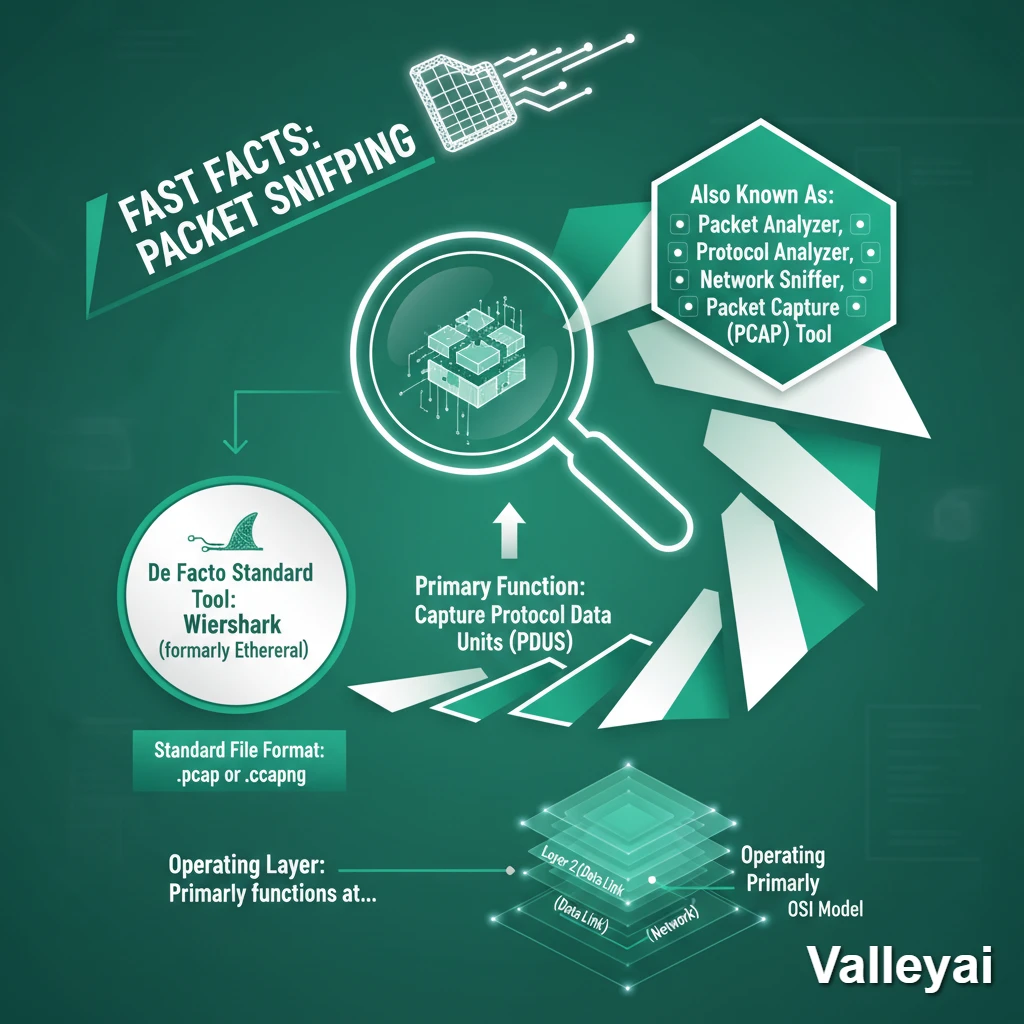
Fast Facts: Packet Sniffing
- Primary Function: To capture Protocol Data Units (PDUs) as they traverse a network.
- Also Known As: Packet Analyzer, Protocol Analyzer, Network Sniffer, Packet Capture (PCAP) tool.
- De Facto Standard Tool: Wireshark (formerly Ethereal).
- Standard File Format:
.pcapor.pcapng. - Operating Layer: Primarily functions at Layer 2 (Data Link) and Layer 3 (Network) of the OSI Model.
The Anatomy of a Sniffer: How Packet Capture Actually Works
Packet sniffing works by shifting a Network Interface Card (NIC) into promiscuous mode, allowing it to intercept all passing traffic regardless of the destination address. The sniffer then copies these raw Ethernet frames, decapsulates the headers, and translates the binary data into readable analysis.
To understand the mechanics, we must bridge the gap between the physical hardware and the analysis software. A modern packet sniffer is not a single monolith; it is a three-part engine.
The 3-Step Visibility Lifecycle
- Interception (The Hardware Layer)
By default, a computer’s Network Interface Card (NIC) ignores any traffic not explicitly addressed to its own MAC address or a broadcast address. To sniff traffic, the capture software forces the NIC into Promiscuous Mode (or Monitor Mode for wireless networks). This tells the hardware: “Do not filter anything; send every frame you see to the CPU.” - Decapsulation (The Kernel-to-User Handoff)
The captured raw Ethernet frames are passed from the operating system’s kernel space to user space via capture libraries likelibpcap(Linux/macOS) orNpcap(Windows). The software strips away the outer layers (Layer 2 MAC headers) to expose the Layer 3 IP packets and Layer 4 TCP/UDP segments. - Analysis (The Decode Engine)
The raw binary and hexadecimal data is fed into a decode engine (like Wireshark’s dissectors). The software cross-references the data against known RFC standards to reconstruct the TCP/IP stack, turning a stream of 1s and 0s into a readable HTTP request, DNS query, or TLS handshake.
Passive vs Active Sniffing: Interception Mechanics
Passive sniffing silently monitors traffic on broadcast networks using hubs or hardware taps without altering data flow. Active sniffing forces traffic interception on switched networks by injecting spoofed packets such as ARP cache poisoning or CAM table flooding to bypass switch isolation and capture targeted data.
In modern IT environments, traditional plug and play sniffing rarely works because modern network switches isolate traffic. Understanding how to capture data requires knowing the difference between passive and active methodologies.
Interception Comparison Matrix
| Feature | Passive Sniffing | Active Sniffing |
|---|---|---|
| Network Type | Hubs, Unswitched Networks, SPAN Ports | Switched Networks (VLANs) |
| Stealth | Highly stealthy; virtually undetectable. | Noisy; generates anomalous traffic spikes. |
| Methodology | Listens to broadcast domains or mirrored ports. | Injects traffic to manipulate routing tables. |
| Primary Use | Legitimate Network Diagnostics & Forensics. | Malicious Interception & Penetration Testing. |
| Common Attacks | N/A (Pure observation). | ARP Spoofing, MAC Flooding, DHCP Spoofing. |
Architects Insight: Network Tap vs Port Mirroring (SPAN)
When engineers need to passively sniff a network, they usually configure a SPAN (Switched Port Analyzer) port, which tells the switch to mirror traffic to the sniffer. However, in high-utilization environments, switches will drop mirrored packets to prioritize actual routing.
For true 100% fidelity capture, enterprise environments use a Hardware Network Tap a physical device placed inline between two nodes that electrically copies the signal without introducing latency or dropping frames.
Diagnostic vs Malicious: Why We Sniff Traffic
Packet sniffers are dual-use tools. Network engineers use them diagnostically to resolve latency, trace dropped packets, and map application dependencies. Conversely, malicious actors deploy sniffers to execute Man-in-the-Middle (MitM) attacks, map internal topologies, and extract unencrypted credentials or session tokens from compromised networks.
Diagnostic Use Cases: Why Engineers Sniff Traffic
When high-level monitoring tools (like SNMP or NetFlow) report an error, they only tell you that something broke. Packet sniffing tells you why it broke.
- From the Field: “The Ghost in the Machine” Scenario
Imagine an office where half the computers randomly lose internet access. Standard dashboards show the router is healthy. By deploying a packet sniffer, an engineer captures the DHCP broadcast traffic and discovers a rogue device a carelessly plugged-in consumer Wi-Fi router handing out invalid IP addresses. The sniffer identifies the exact MAC address of the rogue device, solving a problem that logs alone couldn’t catch. Our DHCP guide explains the broadcast handshake the engineer was watching, and what a rogue server does to it. - Validating Firewall Rules: Ensuring that a firewall is actually dropping the specific TCP SYN packets it was configured to block.
- Application Latency Troubleshooting: Measuring the “Delta Time” between a database query and its response to prove whether a slowdown is a network issue or an application issue.
The Dark Side: How Attackers Use Sniffers
In the cybersecurity realm, packet sniffing is mapped under the MITRE ATT&CK Framework as Technique T1040 (Network Sniffing).
Once an attacker breaches a network segment, they will deploy a lightweight sniffer (like tcpdump or Bettercap) to passively monitor internal “east-west” traffic. They are typically hunting for:
- Legacy protocols transmitting in plaintext (Telnet, FTP, HTTP).
- NTLM hashes used in Windows authentication.
- Session cookies that can be hijacked to bypass multi-factor authentication (MFA).
Packet Sniffing in the Age of Encryption and the Cloud
Modern packet sniffing must navigate end-to-end encryption and ephemeral cloud environments. While TLS 1.3 and QUIC protocols obscure packet payloads, administrators maintain visibility using SSL key logging, while cloud architects deploy VPC traffic mirroring and Kubernetes sidecar containers to capture traffic without traditional hardware.
Legacy guides often describe sniffing as plugging a laptop into a server room switch. In 2026, the landscape is radically different.
Can Packet Sniffing See Encrypted Data?
A common misconception is that HTTPS renders sniffers useless. This is false.
While a sniffer cannot read the payload of a TLS 1.3 encrypted packet, it can still read the metadata (Source IP, Destination IP, packet size, and timing).
Also, network administrators routinely decrypt captured traffic for deep packet inspection (DPI) using SSL Key Logging. By configuring internal servers to export their ephemeral session keys (the SSLKEYLOGFILE environment variable), Wireshark can decrypt the PCAP retroactively for legitimate troubleshooting.
Sniffing HTTP/3 (QUIC)
Modern web traffic increasingly relies on QUIC, which operates over UDP rather than TCP. Traditional sniffers struggle to reassemble UDP streams. Modern protocol analyzers require specialized dissectors to parse QUIC connection IDs, making legacy sniffing tools obsolete for modern web debugging.
Cloud-Native Sniffing
You cannot plug a hardware tap into Amazon Web Services (AWS) or a Kubernetes cluster.
- In the Cloud: Engineers use VPC Traffic Mirroring to duplicate elastic network interface (ENI) traffic and route it to a centralized virtual security appliance.
- In Containers: DevOps teams use tools like
ksniff, which deploys a temporary “sidecar” container into a Kubernetes pod to capture traffic from a specific microservice without disrupting the node.
How to Detect and Prevent Packet Sniffing
Preventing packet sniffing requires robust encryption and network access controls. Organizations can defeat sniffing attempts by enforcing Perfect Forward Secrecy (PFS), implementing Dynamic ARP Inspection (DAI) on switches, and utilizing Virtual Private Networks (VPNs) to shield payload data from local interception.
Because passive sniffing does not generate its own traffic, it is notoriously difficult to detect. Therefore, modern security focuses on making the intercepted data useless and preventing the active techniques required to sniff switched networks.
How to detect a packet sniffer on a local network?
Detecting a passive sniffer is nearly impossible without physically auditing the hardware. However, you can detect the active methods used to facilitate sniffing:
- Monitor for Promiscuous Nodes: Advanced network mappers (like Nmap) can send specific, malformed ICMP packets. A normal NIC will drop them; a NIC in promiscuous mode will often respond, revealing its presence.
- Watch for ARP Spoofing: Intrusion Detection Systems (IDS) can alert administrators when a single MAC address suddenly claims to own the IP addresses of the network gateway (the hallmark of a Man-in-the-Middle attack).
3 Core Prevention Strategies
- End-to-End Encryption: Ensure all internal and external traffic uses TLS 1.2 or higher. Even if packets are captured, the payload remains cryptographically secure.
- Dynamic ARP Inspection (DAI): Configure enterprise switches to reject malicious ARP packets, effectively neutralizing active sniffing attempts.
- VPNs on Public Wi-Fi: For end-users, utilizing a VPN routes all local traffic through an encrypted tunnel, rendering any local wireless sniffing attempts useless.
The Legality and Ethics of Packet Sniffing
Packet sniffing is strictly regulated and its legality depends on ownership and consent. Capturing traffic on a network you own or have explicit administrative authorization to monitor is legal. However, unauthorized interception of third-party communications violates federal wiretapping laws like the ECPA.
Is packet sniffing illegal?
The act of packet sniffing is not inherently illegal, but the context of its application dictates its legality.
- Administrative Consent: Under the Electronic Communications Privacy Act (ECPA) in the United States, employers and network owners have the legal right to monitor traffic on their proprietary infrastructure for security and performance purposes.
- Unauthorized Interception: Sniffing traffic on a public Wi-Fi network (like a coffee shop) or capturing data without the network owner’s explicit consent is a federal crime, often prosecuted under wiretapping statutes.
- The IETF Stance: The Internet Engineering Task Force explicitly outlines the ethical considerations of network interception in RFC 2804, reinforcing that while diagnostic tools are necessary, protocols should not be designed to facilitate covert wiretapping.
Top Packet Sniffing Tools and Analyzers
To execute packet capture and analysis, professionals rely on a mix of command-line utilities and graphical interfaces.
- Wireshark: The undisputed industry standard. An open-source, GUI-based protocol analyzer capable of decoding thousands of distinct network protocols.
- Tcpdump: A lightweight, command-line packet analyzer ubiquitous in Linux/Unix environments. Ideal for capturing raw PCAP files on headless servers for later analysis.
- TShark: The command-line equivalent of Wireshark, offering the same deep decode capabilities without requiring a graphical interface.
- Zeek (formerly Bro): While not a traditional sniffer, Zeek sits on top of packet capture frameworks to provide high-level network security monitoring and transaction logging.
Filtered vs Unfiltered Capture
Sniffers capture in one of two modes. Unfiltered mode grabs every packet the interface sees and writes it to disk for later analysis, which is thorough but produces huge capture files fast. Filtered mode (using capture filters like port 80 or host 192.168.1.1) records only matching packets, keeping captures small and focused. Rule of thumb: capture unfiltered when you do not yet know what you are looking for, then use display filters during analysis; capture filtered on busy networks or long-running captures where disk space matters.
Network Sniffer vs Packet Sniffer: Clearing Up the Terms
You will see both terms used interchangeably, and for most purposes they mean the same thing: software that captures packets traveling across a network. The subtle distinction is one of emphasis. Packet sniffer describes what the tool does at the technical level (it sniffs individual packets), while network sniffer describes where it operates (anywhere on the network). In product marketing and job listings, network sniffer is the more common label, while engineers debugging a protocol tend to say packet sniffer or packet analyzer. When you search either term, expect the same class of tools: Wireshark, tcpdump, and their cousins.
Try It Yourself: Your First Capture with Wireshark
Reading about sniffing is abstract. Doing it once makes every concept in this guide concrete. This takes about five minutes, uses only your own traffic, and is completely legal:
- Install Wireshark from the official site and launch it. You will see a list of your network interfaces.
- Pick your active interface (usually Wi-Fi or Ethernet) and click the shark-fin icon to start capturing. Packets will scroll by immediately.
- Generate traffic: open a website in your browser and watch the capture fill with DNS queries, TLS handshakes, and HTTP requests. Those DNS queries ride UDP while the web traffic rides TCP. Our TCP vs UDP guide explains what each protocol is doing inside your capture.
- Filter it: type
dnsin the display filter bar to see only DNS traffic, orhttpfor web traffic. Click any packet to expand its layers and read every field. - Stop and save: click the red square to stop, then save the capture. You have just performed your first packet sniff, on your own traffic, completely legally.
FAQs
Is a network sniffer the same as a packet sniffer?
Yes, for practical purposes. Both describe software that captures packets traveling across a network. Network sniffer is the more common term in product names and job listings, while packet sniffer or packet analyzer is what engineers say when debugging protocols. The tools are the same: Wireshark, tcpdump, and similar analyzers.
Can packet sniffers see my passwords?
On unencrypted connections (plain HTTP, old protocols like Telnet or FTP), yes: credentials travel as readable text and a sniffer captures them easily. On encrypted HTTPS traffic, a sniffer sees scrambled ciphertext, not your password. This is why you should never log in over plain HTTP, especially on public Wi-Fi.
Is it legal to use Wireshark?
Wireshark itself is perfectly legal; it is the standard diagnostic tool used by network engineers worldwide. What matters is whose traffic you capture. Capturing your own traffic or traffic you are authorized to monitor (for example, as a network administrator) is fine. Intercepting someone else’s traffic without permission is illegal in most countries.
How do I know if someone is sniffing my network traffic?
On a switched wired network, passive sniffing is hard to detect directly. Practical defenses matter more than detection: use encrypted protocols (HTTPS, SSH), keep your Wi-Fi on WPA3 with a strong password, and be suspicious of unknown devices on your network. On company networks, ask your IT team; they can check for unauthorized promiscuous-mode interfaces.
What is the difference between Wireshark and tcpdump?
They capture the same packets but serve different workflows. Wireshark gives you a graphical interface with deep protocol decoding, filters, and visualizations, ideal for interactive analysis. tcpdump is a command line tool, lighter and scriptable, ideal for servers and remote captures. Many engineers capture with tcpdump and analyze the file in Wireshark.
Editorial Note: This guide is for educational and administrative purposes. The techniques described align with the MITRE ATT&CK framework and industry-standard network diagnostics. We do not endorse unauthorized network interception.

Kaleem
Kaleem is a Computer Science graduate and the founder of Valley AI (valleyai.net), where he publishes in-depth, tested guides on computers, AI, and internet technologies. Every guide is researched from primary sources and updated regularly.