
In an era where cyber threats have evolved from simple viruses to AI-driven social engineering and sophisticated ransomware, the old advice of install an antivirus is no longer sufficient. Securing your digital life requires a strategy known to cybersecurity professionals as Defense in Depth layering multiple protective measures so that if one fails, another stands ready to stop the breach.
This comprehensive guide goes beyond the basics to answer exactly how can you protect your home computer against modern threats, covering everything from network segmentation to physical hardening.
Read our complete guide on cybersecurity and internet safety
The Core Foundation: Defense in Depth Strategy
Before diving into tools, we must establish a framework. Security is not a product; it is a process. To truly secure your home environment, you must implement protection at three levels: the Perimeter (Network), the Endpoint (The Computer), and the Data (Identity & Files).
Core Security Strategy: To effectively protect your home computer, adopt a multi-layered approach.
- Automate Updates: Patching OS vulnerabilities is the single most effective defense.
- Isolate Traffic: Use Network Segmentation to separate IoT devices from your PC.
- Harden Access: Utilize a Password Manager and 2FA (YubiKey or Authenticator apps).
- Encrypt Data: Enable Full Disk Encryption (BitLocker/FileVault) to thwart physical theft.
1. The Endpoint: Strengthening the Computer Itself
Your computer is the primary target. Here is how to harden the operating system and software against malware and exploitation.
The Golden Rule: Aggressive Patch Management
When experts are asked, What is the single most effective way to protect a computer? the answer is almost universally the same: Keep it updated.
Zero day exploits utilize holes in software that developers haven’t fixed yet. However, most attacks exploit known vulnerabilities that users simply haven’t patched.
- Action Step: Enable Automatic Updates for your OS (Windows/macOS) and critical web browsers. Do not delay restart prompts.
Beyond Basic Antivirus: Endpoint Detection & Heuristics
Traditional Antivirus software relies on signatures a database of known bad files. If a virus is brand new (a zero-day), traditional antivirus might miss it. This is why modern security requires Heuristic analysis.
Heuristic analysis looks for suspicious behavior rather than just file matches. For example, if a program suddenly tries to encrypt all your documents rapidly, heuristic monitors flag this as ransomware, even if the file looks clean.
Is Windows Defender enough to protect my computer?
For the average user practicing safe browsing, yes. Windows Defender has evolved significantly and consistently scores high in independent lab tests. However, it lacks granular controls for advanced threats. If you engage in high-risk behavior (downloading torrents, visiting obscure sites), consider upgrading to a paid solution that offers Endpoint Detection and Response (EDR) capabilities, which record system activities to help reverse attacks.
Ransomware Resilience
Ransomware is the most financially damaging threat to home users.
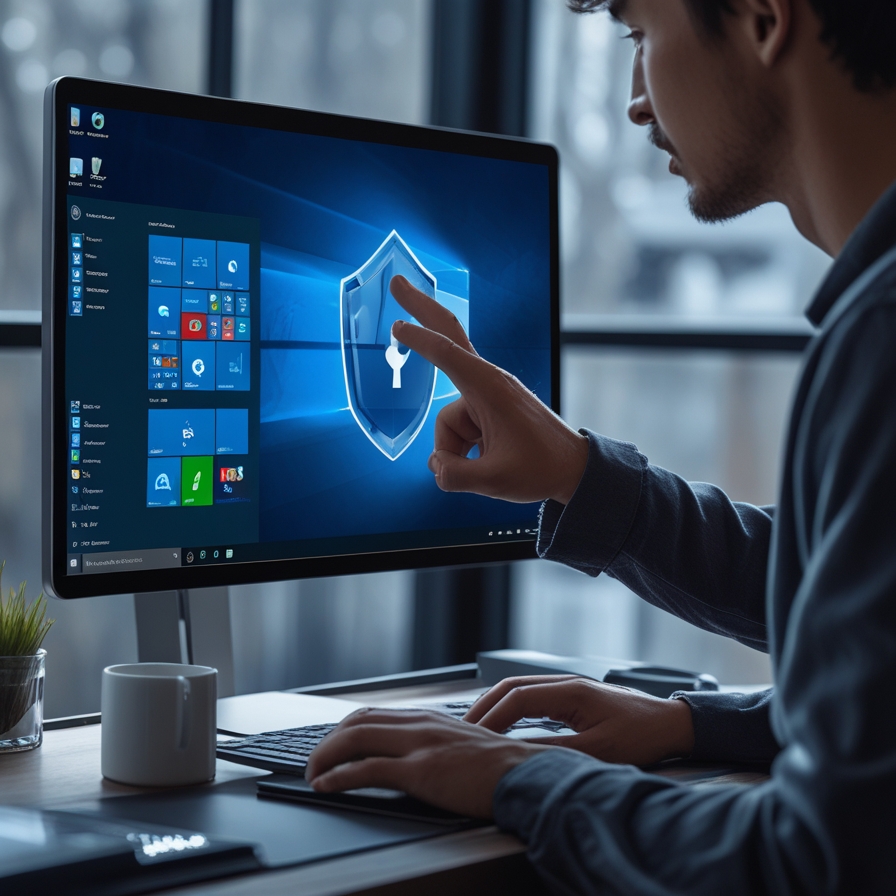
- Recommendation: For those seeking the best free ransomware protection for Windows 11, enable the built-in Controlled Folder Access feature inside Windows Security. This prevents unauthorized applications from modifying files in your Documents, Pictures, or Desktop folders.
2. The Perimeter: Securing the Network
Your router is the front door to your digital home. If a hacker breaches your Wi-Fi, they can potentially intercept traffic or pivot to your computer.
Router Hardening and WPA3 Encryption
Most ISPs provide routers with default settings that favor convenience over security.
- Change Default Credentials: Attackers have lists of default admin passwords for every major router brand.
- Upgrade Encryption: Ensure your router is using WPA3 Encryption if supported. If not, WPA2-AES is the minimum standard. Never use WEP.
Advanced Tactic: Network Segmentation
Smart fridges, cheap Wi-Fi bulbs, and assistants often have weak security. If a hacker compromises a smart bulb, they can use it as a gateway to attack your main computer.
How to segment home network for IoT security:
- Log into your router admin panel.
- Enable the Guest Network feature.
- Connect all IoT devices (TVs, bulbs, smart speakers) to the Guest Network.
- Connect your critical devices (Home Computer, Work Laptop, Phone) to the Main Network.
Why this works: Most routers isolate the Guest Network from the Main Network. Even if the smart bulb is hacked, the attacker cannot see or access your main computer.
Do I really need a firewall for my home network?
Yes. While your router acts as a hardware firewall blocking unsolicited incoming traffic, a software Firewall on your computer is critical for monitoring outbound traffic. If your computer gets infected, a software firewall can alert you that a program is trying to “phone home” to a hacker’s server, allowing you to cut the connection.
3. Identity and Access: The Front Door
81% of hacking-related breaches leverage stolen or weak passwords. Hardening your login process is non-negotiable.
The Password Manager Requirement
Humans cannot remember 50 distinct, complex passwords. A Password Manager (like Bitwarden, 1Password, or Proton Pass) generates and stores unique, high-entropy passwords for every site. You only need to remember one master password.
Two-Factor Authentication (2FA)
2FA adds a second layer of verification. However, not all 2FA is equal:
- Good: SMS Codes (vulnerable to SIM swapping).
- Better: Authenticator Apps (Google Authenticator, Authy).
- Best: Hardware Keys (YubiKey).
Action Step: Enable 2FA immediately on your Email, Banking, and Password Manager accounts.
4. Data & Physical Defense: The Last Resort
If software defenses fail, or if your laptop is stolen, these physical measures protect your data.
Physical Security Tips for Home Laptops
Remote work has blurred the lines between secure offices and home environments.
- Webcam Covers: Use a physical slide cover to prevent Camfecting (spying via webcam).
- Visual Hacking: If you work in shared spaces or cafes, use a Privacy Screen Filter.
- BIOS/UEFI Password: Set a password in your BIOS to prevent a thief from booting your computer from a USB drive to bypass your OS login.
Full Disk Encryption
A login password does not protect your data if someone physically steals your laptop; they can simply remove the hard drive and read it elsewhere. Full Disk Encryption scrambles every bit of data on your drive. It is only readable when you log in.
- Windows: Enable BitLocker (Pro versions) or Device Encryption (Home versions).
- Mac: Enable FileVault.
The 3-2-1 Backup Rule (With a Twist)
Ransomware can infect connected backup drives. Use the 3-2-1 rule:
- 3 copies of data.
- 2 different media types (e.g., internal drive + external SSD).
- 1 offsite copy (Cloud backup like Backblaze or an external drive stored at a relative’s house).
Crucial Step: Test your backups. A backup is a failure until a restore has been successfully tested.
5. How to Secure Home Computer for Remote Work
Remote work introduces corporate data into the home environment. To stay compliant and secure:
- Use a VPN: A VPN encrypts your traffic, essential when using public Wi-Fi or masking traffic from ISPs.
- Separate Profiles: Create a separate Standard User account on your PC for work. Do not use the Administrator account for daily tasks. This limits the damage malicious software can do.
- Browser Hardening: Install uBlock Origin. It is not just an ad-blocker; it blocks malicious scripts and malvertising that can infect your PC simply by loading a webpage.
6. Diagnostics: Detecting a Breach
Even with the best tools, vigilance is key. Users often ask, How do I know if my computer has been hacked? Watch for these indicators:
- Unexpected Performance Drops: Malware mining crypto uses high CPU.
- Disabled Security Tools: If your Antivirus or Firewall turns off automatically, you are likely compromised.
- Random Pop-ups or Redirects: Browser toolbars you didn’t install or search engine redirects.
- Cursor Movement: If your mouse moves on its own, disconnect from the Internet immediately someone has remote access.
Conclusion
Protecting your home computer is no longer about installing a single piece of software. It requires a holistic approach involving Network Segmentation, Heuristic analysis tools, and robust physical security like Full Disk Encryption. By implementing these layers, you move from being a low-hanging fruit to a hardened target, drastically reducing your risk in an increasingly hostile digital landscape.
Frequently Asked Questions:
How can I prevent malware and viruses on my home computer?
Why is keeping software and the operating system up to date important?
How do strong passwords and multi-factor authentication (MFA) enhance protection?

Kaleem
My name is Kaleem and i am a computer science graduate with 5+ years of experience in Computer science, AI, tech, and web innovation. I founded ValleyAI.net to simplify AI, internet, and computer topics also focus on building useful utility tools. My clear, hands-on content is trusted by 5K+ monthly readers worldwide.